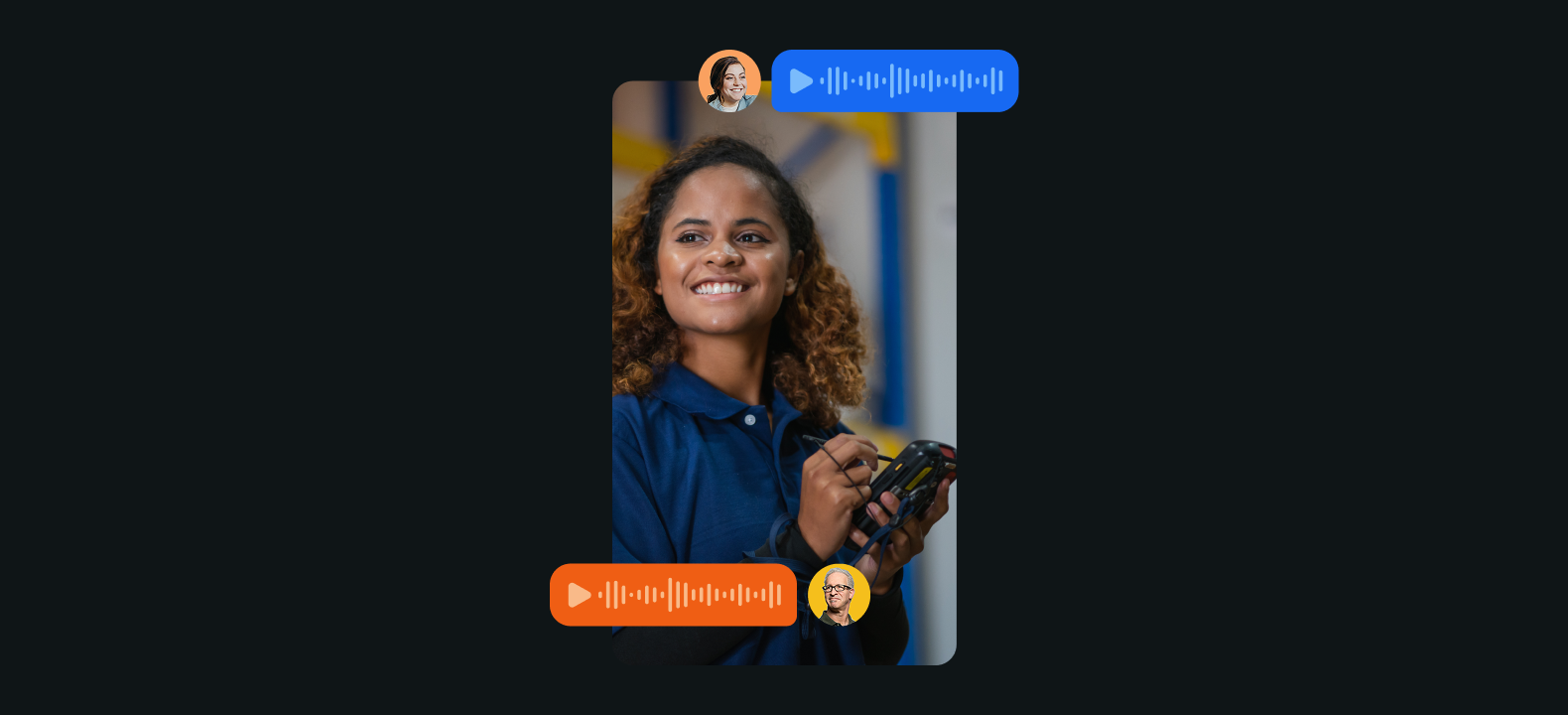

"The customer is always right" gets repeated so often that the original meaning barely survives. Strip it back, though, and the reason it stuck is simple. Frontline work gets judged on whether the customer got what they came for, whether that means finding the item, landing on time, or getting the build finished. Customer satisfaction on the frontline depends on a team that stays coordinated.
Falling short when it comes to customer experience is costly, and the numbers are hard to argue with. PwC asked 5,511 consumers in 2025 and nearly a third had already stopped buying from a brand over a poor experience. Nine in ten executives said customer loyalty had grown over the same period, while only four in ten of their customers agreed. And while nothing in PwC's survey covers industries like construction or manufacturing, the same logic holds, since the customer who got what they were promised is the one who comes back.
Coordination on the frontline is made difficult, however, because requests come at a team from two directions. Some come from the team itself: a supervisor needs the seasonal stock out of the back before the rush. Others come from the people the team serves: a shopper at a locked case needs somebody with a key. Neither one gets handled until somebody takes it.
Zello is giving frontline teams new ways to communicate, and now more ways to coordinate and turn that communication into action. Task Management lets teams turn messages into tasks and track them without leaving Zello. With QR Assist, a team can turn any spot into a help point by posting a printed code, so somebody who needs help can reach the right person by scanning it.
Task Management: turn messages into work that gets done
Imagine running a floor where nothing you, or your managers, ask for needs asking twice. Every request you make gets tracked, picked up, and finished, and none of it comes back to you. No mental list, no checking in at eleven, no wondering whether the pallet ever moved.
Directing the work and recording the work stop being two different jobs. A supervisor who calls out one thing after another all morning knows where every one of them stands, without having chased a single one.
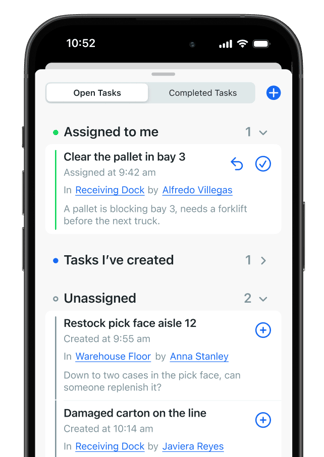
Task Management makes that kind of shift possible by giving your team a way to create and track tasks right in Zello. Any message can become a task somebody claims, or a worker can create one by saying "create a task" out loud. Once a task is claimed, everybody can see who has it, so nobody has to assume somebody else is working on it. Supervisors spend less of the shift asking where things stand, and more of what needs to get done actually gets done.
QR Assist: assistance you can place anywhere
Some of the people who need your team don't work for you. Shoppers, passengers, and drivers all end up needing somebody on site, and none of them can reach that person the way a coworker would. So they wait for somebody to walk by, and waiting is a rather unpleasant experience, especially if you're a customer.
Keeping customers from waiting comes down to covering more ground, and stores and airports have answered that with hardware for years: call buttons on walls, kiosks on stands. Hardware only covers the spot where it was installed, though. Adding coverage means buying another unit, installing it, and maintaining it. Frontline operations need to shift as conditions change, and hardware bolted to a wall cannot.
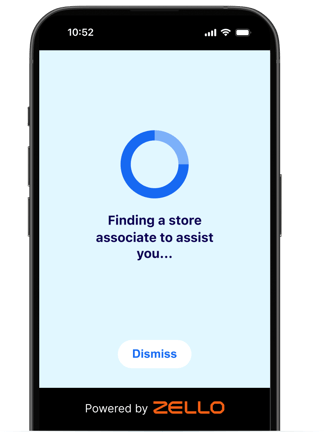
QR Assist gives frontline teams a way to place help points anywhere they need them, by printing a QR code and posting it. Anybody who needs help scans the code and reaches the team responsible for that spot right in Zello, without downloading or installing anything themselves. Adding a help point simply means printing another code, so a team can cover a new area the same day the need arises.
At an airport, a passenger who needs a wheelchair can scan at the service counter instead of walking the concourse looking for an attendant, and an agent can accept the request and head over with a chair. Help points work inside the operation too, so a worker who finds a jammed machine can scan the code beside it and reach maintenance without leaving the line. Hotels, warehouses, and hospitals all have spots where somebody needs a person and nobody is nearby, and a code can cover any of them.
How QR Assist and Task Management work together
Good coordination is what frontline work runs on, and it has to handle work arriving from two directions. Some of it originates from the team, like a shift lead who needs the dock cleared before the next truck. Other work comes from the people a team serves, like a passenger looking for somebody to help with a wheelchair. Task Management handles the first and QR Assist handles the second, and either way somebody on the team picks it up. All the customer notices is that somebody did.
Both are part of how Zello is helping frontline teams turn talk into action, alongside four more rolling out now: video calling, voice commands, Smart Search, and Ella. See what they do and what they could do for your operation.
Frequently asked questions
What makes a good customer experience on the frontline?
Customers judge frontline work on whether they got what they came for, whether that means finding an item or landing on time. Consistent delivery depends on a coordinated team that picks up every request, wherever it comes from. Zello supports that coordination with Task Management for requests from the team and QR Assist for requests from the people the team serves.
What is Task Management in Zello?
Task Management lets a frontline team create and track tasks inside Zello. Any message can become a task, or a worker can create one by saying "create a task" out loud. Once somebody claims a task, everybody can see who has it.
Do frontline teams need a separate task app to track work?
No. Task Management works inside Zello, on the same channels a team already talks on, so a request becomes tracked work without anybody opening a second tool or retyping what was said.
What is QR Assist?
QR Assist turns a printed QR code into a help point. Somebody scans it with their own phone and the request reaches the team responsible for that spot, with no account to create and nothing to install.
Does somebody scanning a QR Assist code need to download anything?
No. They use the phone they already have, and there is nothing to download or set up.